
When pages belong to a logical group (e.g. “About Us” > “Our Team,” “Our History,” “Careers”) nesting reinforces that hierarchy.
Page Structure
This page will cover:
This page explains how to structure and organize your website pages — including how to use parent/child pages, write clear titles and URLs, and decide when to hide certain pages from search engines for better usability and SEO.
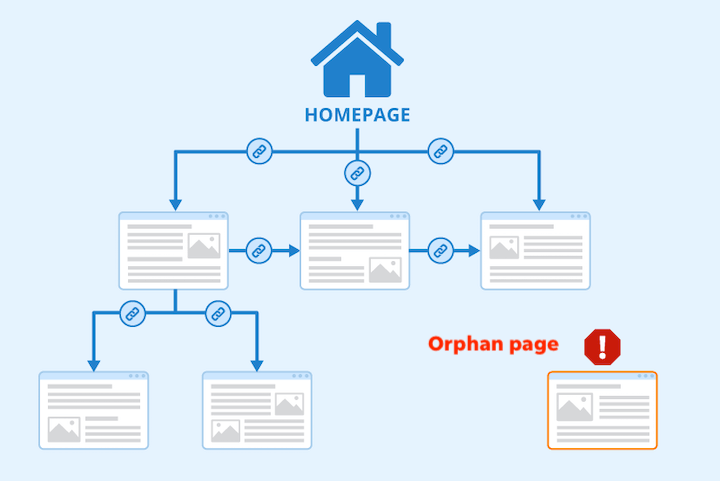
Parent / Child Pages
- Parent pages: Top-level pages.
- Child pages: Subpages nested under a parent.
- Why it matters:
- Organizes content and navigation.
- Shapes URL structure (e.g., example.com/about/team/).
- Groups related pages for better site organization.
Best Practices:
- Parent pages should link to their child pages (in menus, page content, or URLs).
- Parent pages provide an overview and guide users to child pages.
- Avoid orphan pages—every page should be accessible from somewhere on your site.
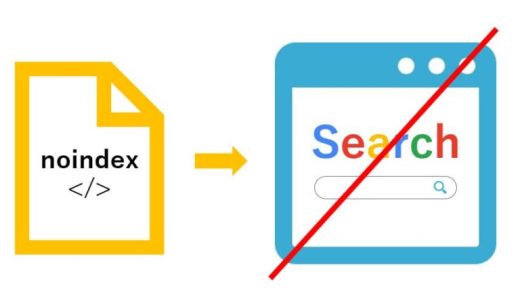
Exceptions: When to Hide a Page from Search Engines
- Some pages, like campaign-specific landing pages for paid media, shouldn’t appear in search results.
- How to hide pages (instructions for WordPress > Yoast SEO):
- Open the page’s Yoast SEO settings.
- Expand the Advanced section.
- Set “Allow search engines to show this Page in search results?” to No > page becomes noindex.
- Important: This prevents the page from showing in sitemaps and search results, but won’t block direct access via URL. Use Password-Protected or Private settings to fully restrict access.
Nesting Pages
Nesting pages creates a hierarchy on your website, organizing child pages under a parent page. This helps structure your site and your navigation menu.
- What it means:
- Making one page a subpage of another.
- Example: “Our Team” nested under “About Us.”
- Why it matters:
- Affects how pages appear in menus.
- Changes the page’s URL.
Nesting Example:
- Not nested: example.com/team
- Nested under “About Us”: example.com/about/team
Nesting Best Practices
- Use nesting for topical groups, not for every page.
- Good: /services/branding/
- Overkill: /about/company/leadership/press/
- Keep URLs short and meaningful. A hierarchy should clarify, not clutter.
- Match structure to content strategy, not menu design. Menus are for user navigation; hierarchy is for site organization.
- Plan before publishing. Changing page hierarchy later can require redirect setup and internal link updates.
When Nesting is Helpful:
When Nesting Can Cause Problems:
Page Titles (H1s)
A good rule of thumb: Visitors (and Google) should understand what the page is about in 3 seconds or less.
URLs and Slugs
Keep slugs short and readable
- Use lowercase letters, hyphens between words (/about-us/ not /About_Us).
- Avoid stop words unless needed for clarity (the, and, of).
- Limit to 3–5 words max when possible.
Align with the Title
- For a page titled “A Little About Our Company,” use slug /about/.
- For “Financial Aid and Scholarships,” /financial-aid/ or /scholarships/ depending on content emphasis.
Think longevity
- Don’t include dates, version numbers, or campaign names unless permanent (/2024-conference/ only if it won’t ever change).
- Avoid changing slugs after publishing unless necessary; it can break links and SEO equity.
Include SEO keywords naturally
- /organic-coffee-roasters/ is more descriptive than /our-products/, and helps both users and search engines.
Note: do not move around any pages (which changes the URL) unless you also create a 301 redirect.