
Best Practices
When writing and migrating content to the WordPress site, keep these guidelines in mind.
Copy & Pasting
If you are copy/pasting text from another website or program (such as Word), you might accidentally insert extra formatting or code (sometimes even invisibly!). This can slow down your page, break the design, or cause accessibility errors.
To avoid this, always paste using Ctrl + Shift + V (or on Mac, Cmd + Shift + V) to place content with no formatting. Once placed, format as desired using the available WordPress tools.
Manual Line Breaks
Our sites are responsive, which means they can be viewed on any device and any size of screen. Since the site width will vary, the text wrapping will also vary, so we can’t control line breaks as precisely as in print. We recommend avoiding manual line breaks.
Also, since we just talked about copy and pasting, manual line breaks are NOT corrected by Ctrl + Shift + V and can disrupt normal text flow. They happen often when copying from a PDF. If you notice text wrapping to the next line for no reason, try resizing your window to confirm a line break, and manually delete it.
This is an example of a manual
line
break
for a Heading 3
This is an example
of a manual line
break for paragraph
text.
Headings
This was already covered in the Accessibility section, but make sure to follow the logical heading order (H1, H2, then H3) – never use an H3 unless an H2 has already appeared on the page. And H1’s are reserved for the page title. Using headings in a non-semantic order can hurt your SEO and accessibility.
Capitalization
Text should never be entered in WordPress in ALL CAPS, since how it’s entered in the database is how search engines and screen readers will read it. If there’s an area of the site where text appears in all caps, that’s handled by the site’s CSS automatically and only impacts how the text displays visually, not its database value.
Lists
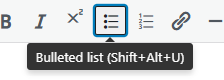
Make sure to format bulleted lists using the button in the toolbar. This will apply the correct indents and custom bullet color.
- Like this!
- And this
Don’t do this:
– here is the first item in my list
– here is the second
– and so on
Writing Style
Data should always be formatted in a consistent style. For example, should phone numbers be listed as (555) 555-5555 or 555.555.5555? Should hours be listed as 8am – 5pm or 8:00 AM – 5:00 PM?
Proofing Checklist
When finalizing a page, follow this checklist:
- Always proof content for spelling and grammar
- Build internal linking (view Links > Internal Linking)
- Add calls to action (view Links > CTA)
- Make sure all headings follow the correct order (view Accessibility > Headings)
- Rewrite links for accessibility (view Accessibility > Links)
- Adapt files as native site content where possible (view Accessibility > Files)
- Add alt text for images (view Accessibility > Alt Text)
- Utilize site modules to create appealing page layouts, including images and icons (view Modules page)
- Populate page meta titles and descriptions (we haven’t covered this yet, but will later on in the project during WordPress training!)
- Create redirects for any altered page URLs (Asher will do this – let us know if this is needed)